

Ascher Racing Dashboard 7.85" LCD touchscreen 26 RGB LEDs - black
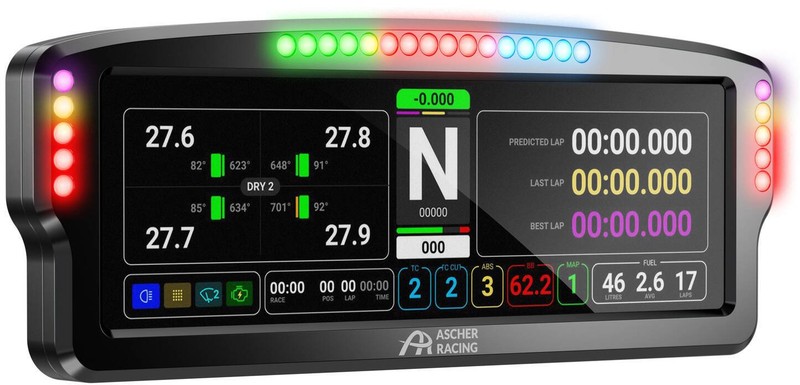
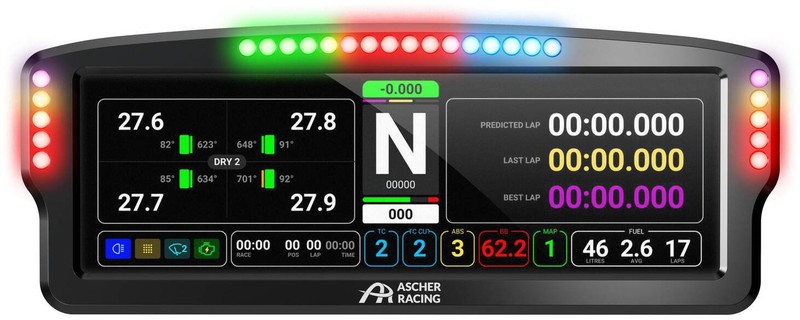
Sim racing DDU with high-resolution touchscreen, 7.85” display with 1200x400 resolution, 26 RGB LEDs, robust and compact aluminium housing, including USB-C cable, extensive compatibility
The Ascher Racing 8” Dashboard is designed for every ambitious sim racer who wants to boost the immersion factor of their setup even further. The DDU, also known as the “Data Display Unit,” integrates seamlessly into your sim racing setup and provides all the essential information at a glance.
- 7.85” touchscreen with high resolution and informative layout
- 26 RGB LEDs for immersive effects such as shift and rev indicators
- Extensive compatibility, including support for well-known wheelbases
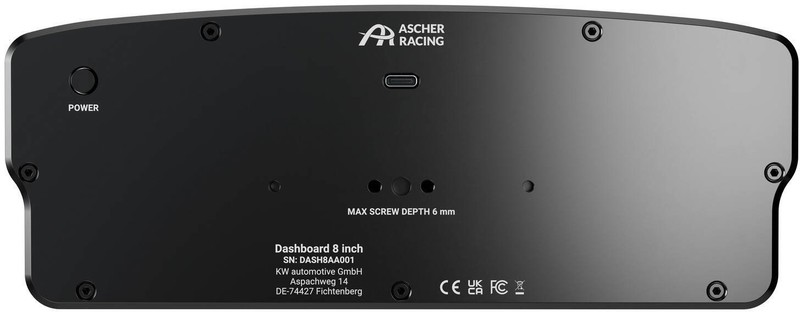
- Easy connection and power supply with included USB-C cable
- Long service life thanks to a robust aluminium housing
The Ascher Racing 8” Dashboard: Immersive Sim Racing with a 7.85” Driver Display
With a 7.85” screen featuring touch functionality, the Ascher Racing 8” Dashboard offers everything you need for an immersive sim racing session. Thanks to the high resolution, all important information is clear and easy to see at a glance.
Thanks to official SimHub integration, you can even decide for yourself what you want to see on your display. Whether it’s your current lap time, the temperature of your tyres and brakes, or even the weather conditions on the track – how you design your display is entirely up to you.
RGB LEDs and Extensive Compatibility
In addition to the informative screen, the dashboard is also equipped with 26 RGB LEDs – 16 along the top edge and five on each side. The RGB LEDs serve as shift and signal indicators and can be adjusted in colour and brightness as needed.
In terms of compatibility, the Ascher Racing 8” Dashboard also scores points with included mounting brackets. Thanks to these two brackets, the driver display can be easily mounted on wheelbases from manufacturers such as Simucube, Asetek, Fanatec, VRS, Simagic, as well as MiGe and Lenze motors.
Simple Setup with USB-C Cable
To enable communication with your PC and power supply, the device is equipped with a USB-C port. With the supplied cable, simply connect the display to your PC and get started immediately without complicated setup. All your settings can be made directly in SimHub or with the Lovely Sim Racing plug-in.